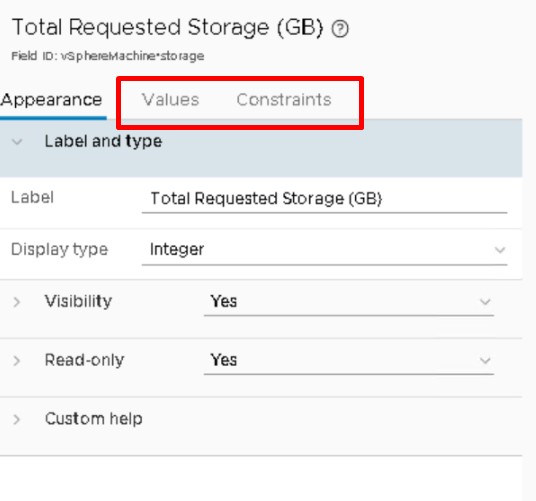
Have you ever frustrated why email notification on all stages (submission, approval, success) has 0 GB when using custom form combined with image component profile?
This procedure specifically for VRA 7.5. Note for VRA 7.4, you just need to attach the storage element and then put some value into it because the property already defined. But in VRA 7.5 the default submit set to false and no property to adjust the value.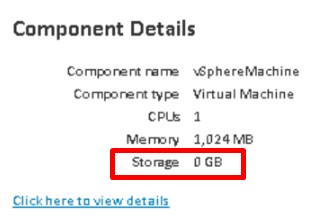
First, we investigate which value cause 0GB. Assume that you already perform procedure for activating the vcac email template as per documentation. Configuring Templates for Automatic IaaS Emails
The relevant email template file are on machine (components) section, so check the file “request_components.vm”
#set( $curKey = "component${index}-storage" )
So, it’s because of storage element has 0 value.
Here’s the workaround for VRA 7.5.
- Add Storage Element
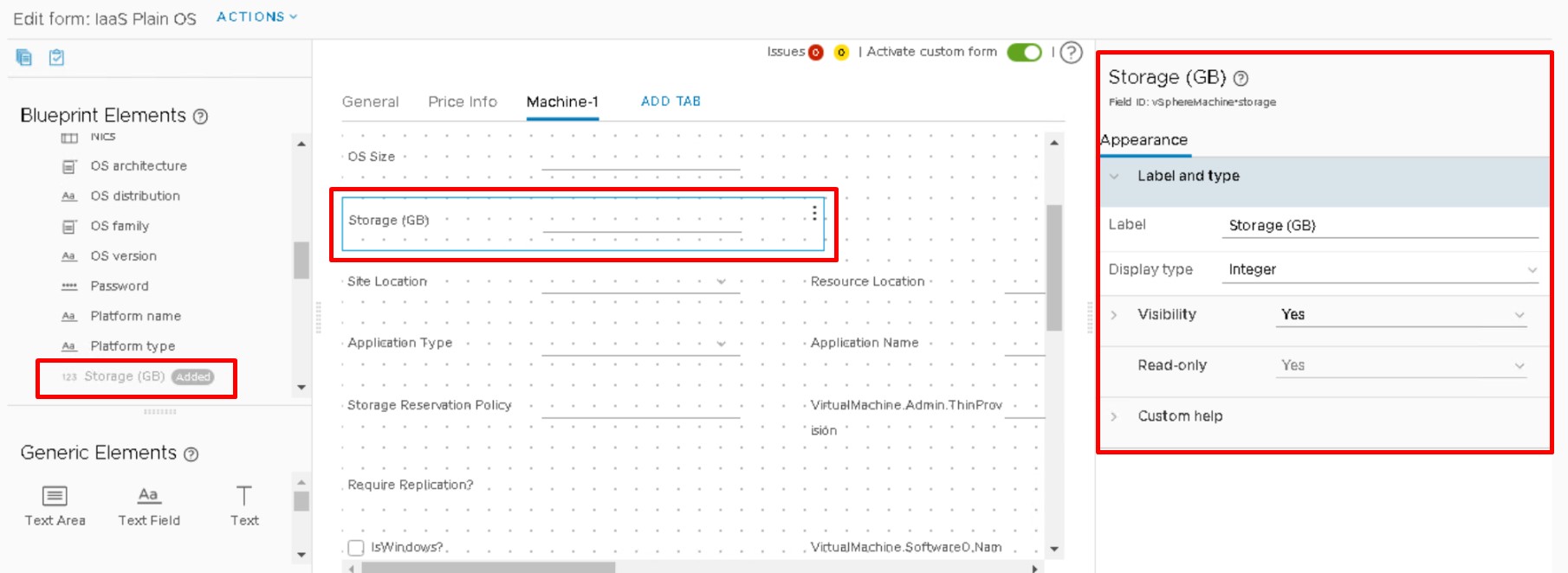 Wait… why does this element property looks a bit different?? Normally we should able to see “Values” and “Constrain” tabs
 - Save then export the form as YAML
- Edit using your preferred YAML editor
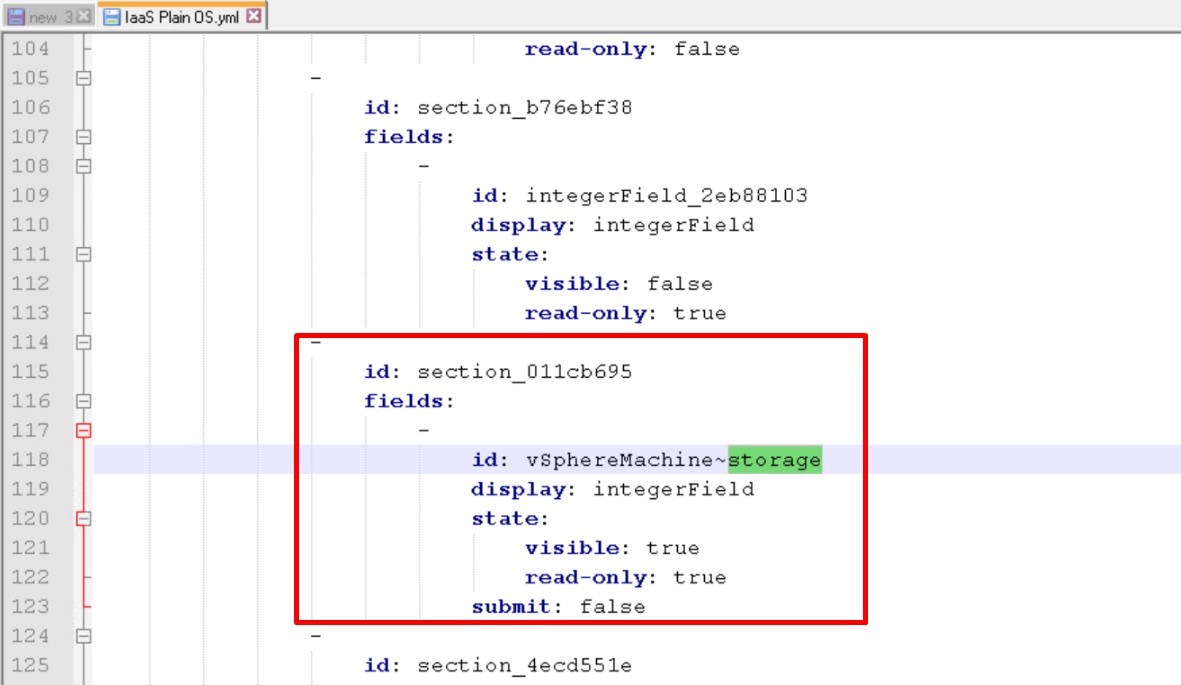
fields: - id: vSphereMachine~storage display: integerField state: visible: true read-only: true submit: false - Remove the line “submit: false”
fields:
    -
        id: vSphereMachine~storage
        display: integerField
        state:
            visible: true
            read-only: false
This is the culprit, the original value for the storage property by default always 0GB!!!
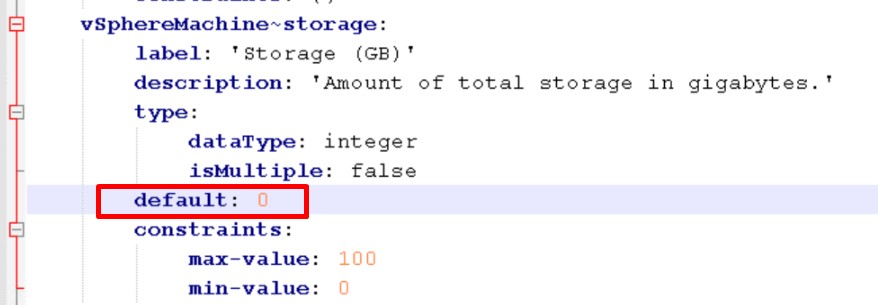
Edit the default value based on you template size, and if required combine with other operation if more disks being added.
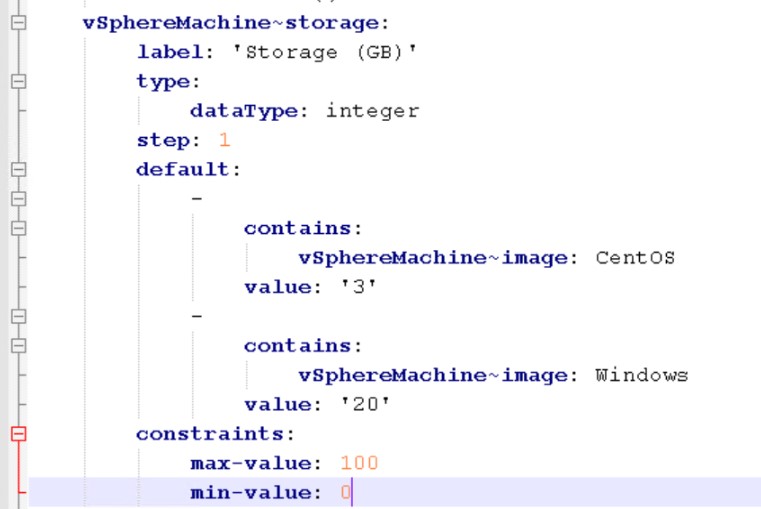
Import back the modified yaml form.
Test request catalog. If everything oke, then storage value should be automatically populated.
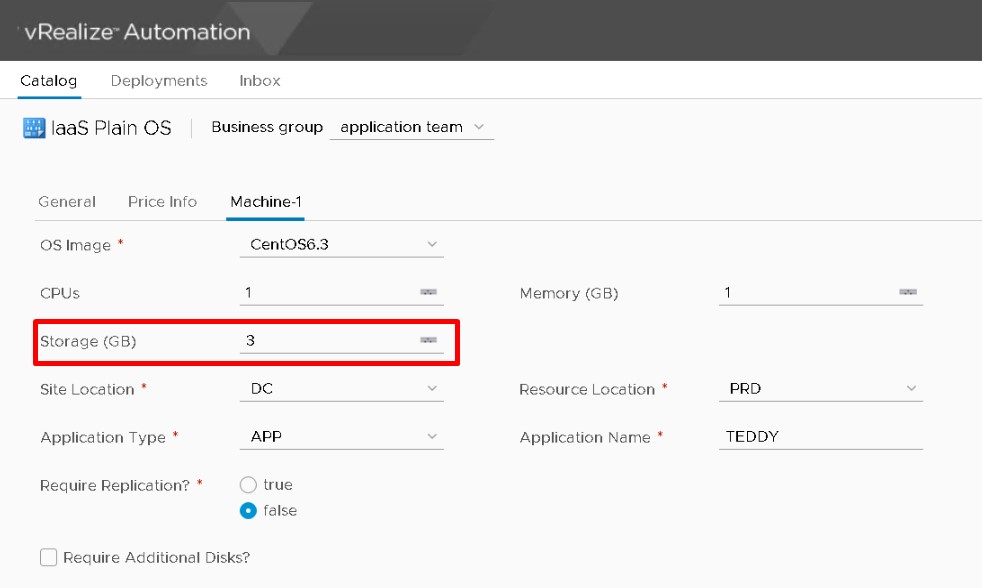
Check the email notification. Hopefully the storage properties has some value.
What!! Still 0??
Don’t worry, it also happened during my lab testing, somehow it won’t work.
Try again by rebuilding the custom form and don’t give up :).If it went smooth, then you should get storage value.
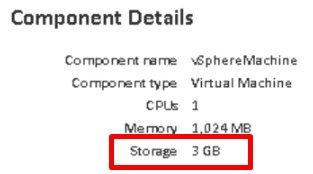
Not sure whether this is another browser cache issue in VRA 7.5, but luckily the properties for storage element appear. You can easily adjust the default value if properites appear, just like in VRA 7.4